Standflow 1.2: Daily Standing Goals and Metrics for Your Sit-Stand Routine
A standing desk doesn't make you healthier on its own. What makes the difference is how often you change position: standing up, sitting back down, and getting up to move every so often. The hard part is that focused work makes you forget all of that.
Standflow was built to solve exactly that problem, and Standflow 1.2 takes it one step further. Until now, Standflow told you when to change posture. With 1.2, it also shows you how you're doing: a daily standing goal you can follow from the menu bar, and a Metrics view with your history for the last 7, 30, or 90 days.
Here's everything that's new.
Why a Workflow That Makes You Stand Up and Move Matters
Before we get into the features, it's worth remembering why this matters.
Sitting for long, uninterrupted stretches is linked to back and neck pain, poor circulation, and the afternoon energy slump most of us know too well. But standing all day isn't the answer either: it brings its own problems, like sore feet, leg fatigue, and lower back strain. As we covered in our guide to standing desk health benefits, the research points in the same direction again and again: the benefit comes from alternating positions and adding movement throughout the day.
In practice, a healthy workday looks like this:
- Change posture regularly, roughly every 20 to 45 minutes.
- Stand for a meaningful part of the day, without trying to stand the whole day.
- Add short movement breaks: walk, stretch, refill your water.
- Be consistent: a good routine every day beats a perfect day once a week.
The problem is that none of this happens on its own. When you're deep in a task, an hour goes by in what feels like ten minutes. That's why Standflow lives in your menu bar, keeps the rhythm for you, and now in 1.2, shows you whether the routine is actually working.
Set a Daily Standing Goal
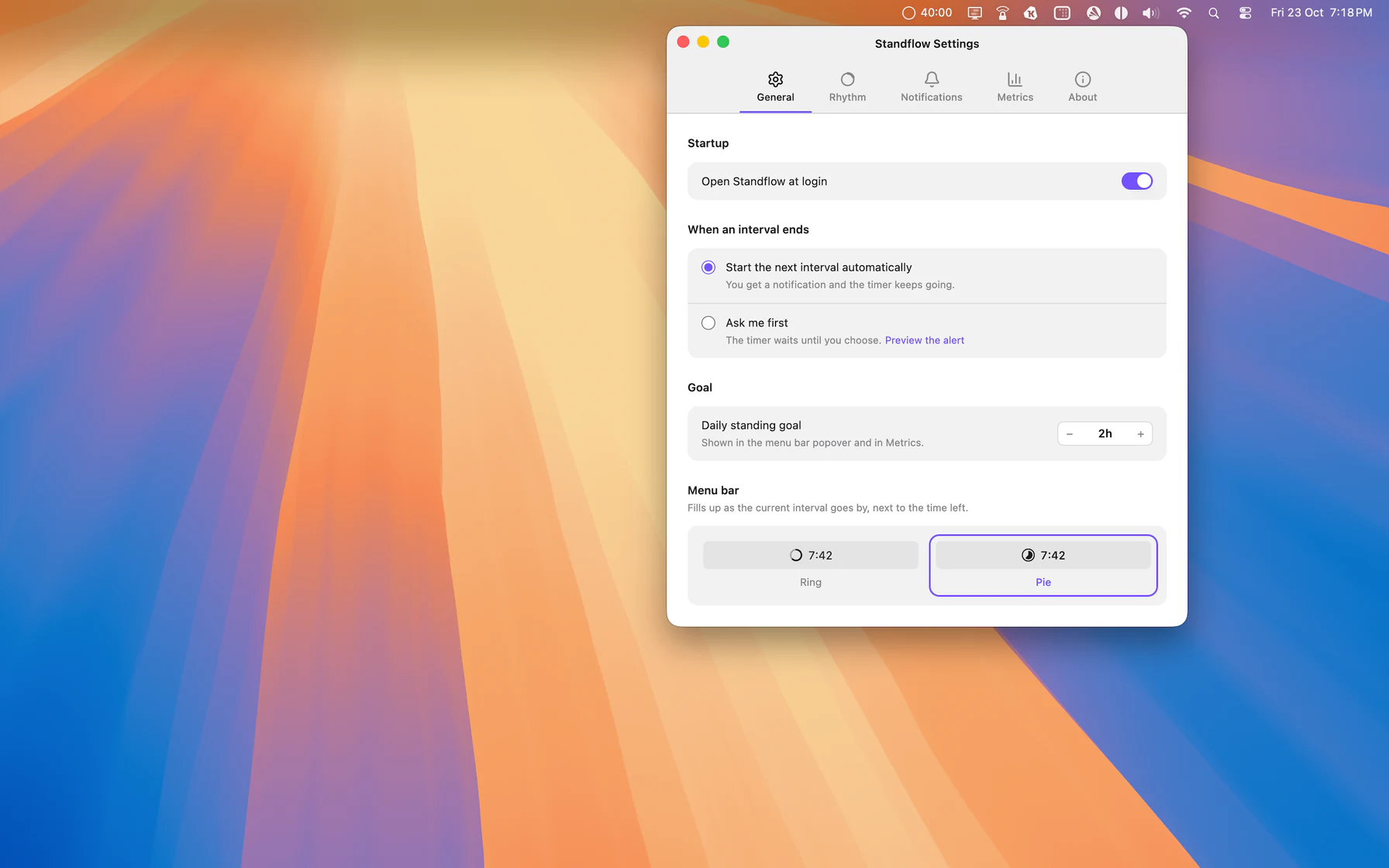
The headline feature of Standflow 1.2 is the daily standing goal. Choose how much time you want to spend standing each day (for example, 2 hours) in the General tab of Settings, and Standflow tracks your progress as you work.
A goal turns a vague intention ("I should stand more") into something concrete and measurable. And because it's a daily goal, every morning is a fresh start: it doesn't matter if yesterday was a long day of meetings in a chair.
The General tab also brings together the options that shape your day:
- Open Standflow at login, so the routine starts with your workday without you having to remember it.
- When an interval ends: start the next interval automatically, or have Standflow ask you first.
- Menu bar style: show the progress of the current interval as a ring or a pie, right next to the time left.
Your Progress, Right in the Menu Bar
Click the Standflow icon in the menu bar to open the redesigned popover. At a glance you can see your current posture, the time left, what comes next, and how close you are to today's standing goal.
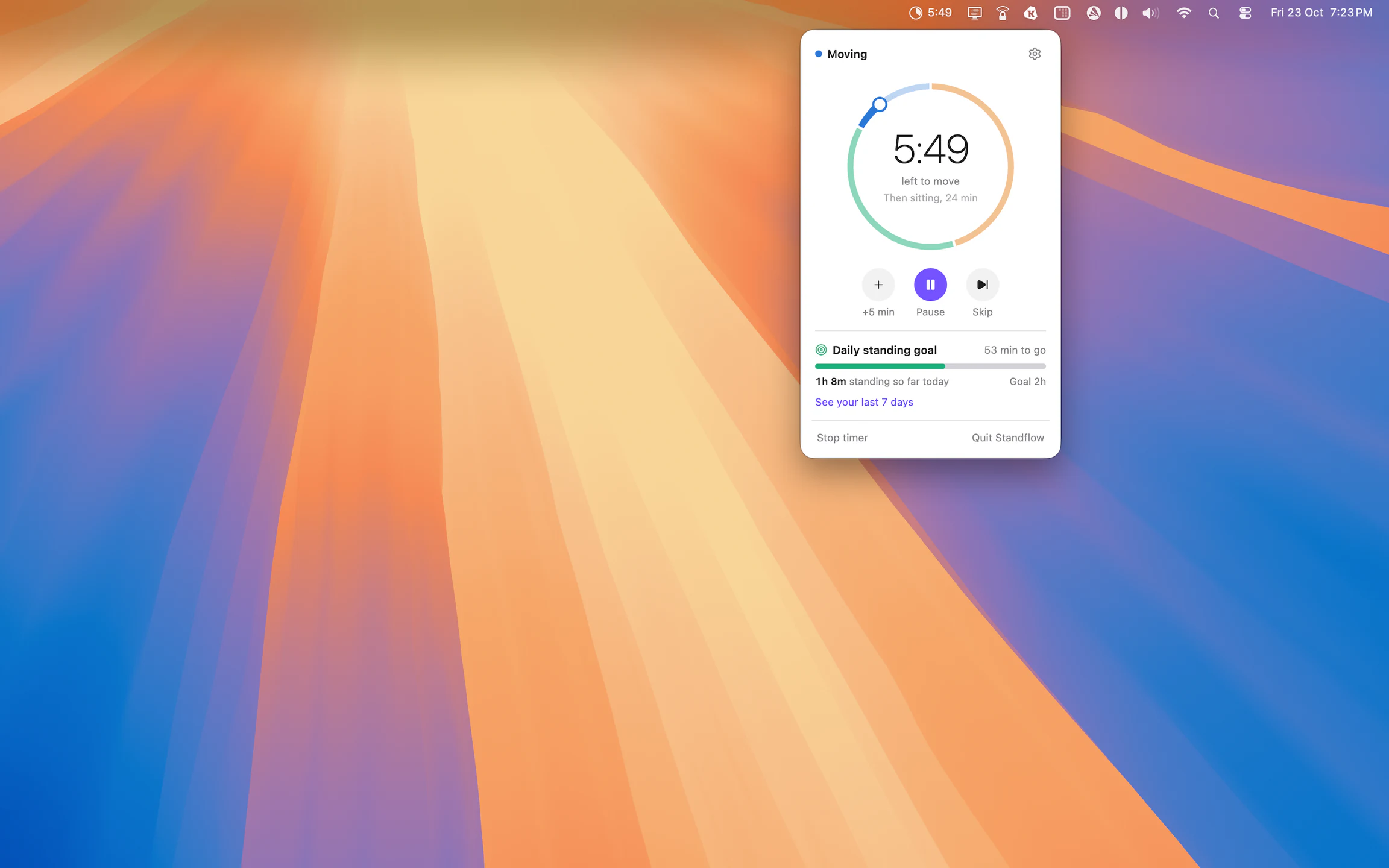
The controls are designed for real workdays, where you can't always stand up the exact second a timer ends:
- +5 min adds five minutes to the current interval when you need to finish a thought.
- Pause stops the clock during a meeting or lunch.
- Skip jumps to the next posture when you're ready early.
- Stop timer ends the session when you're done for the day.
Below the controls, the Daily standing goal bar shows how long you've stood today and how much is left. The "See your last 7 days" link takes you straight to your metrics.
Metrics: See Your Last 7, 30, or 90 Days
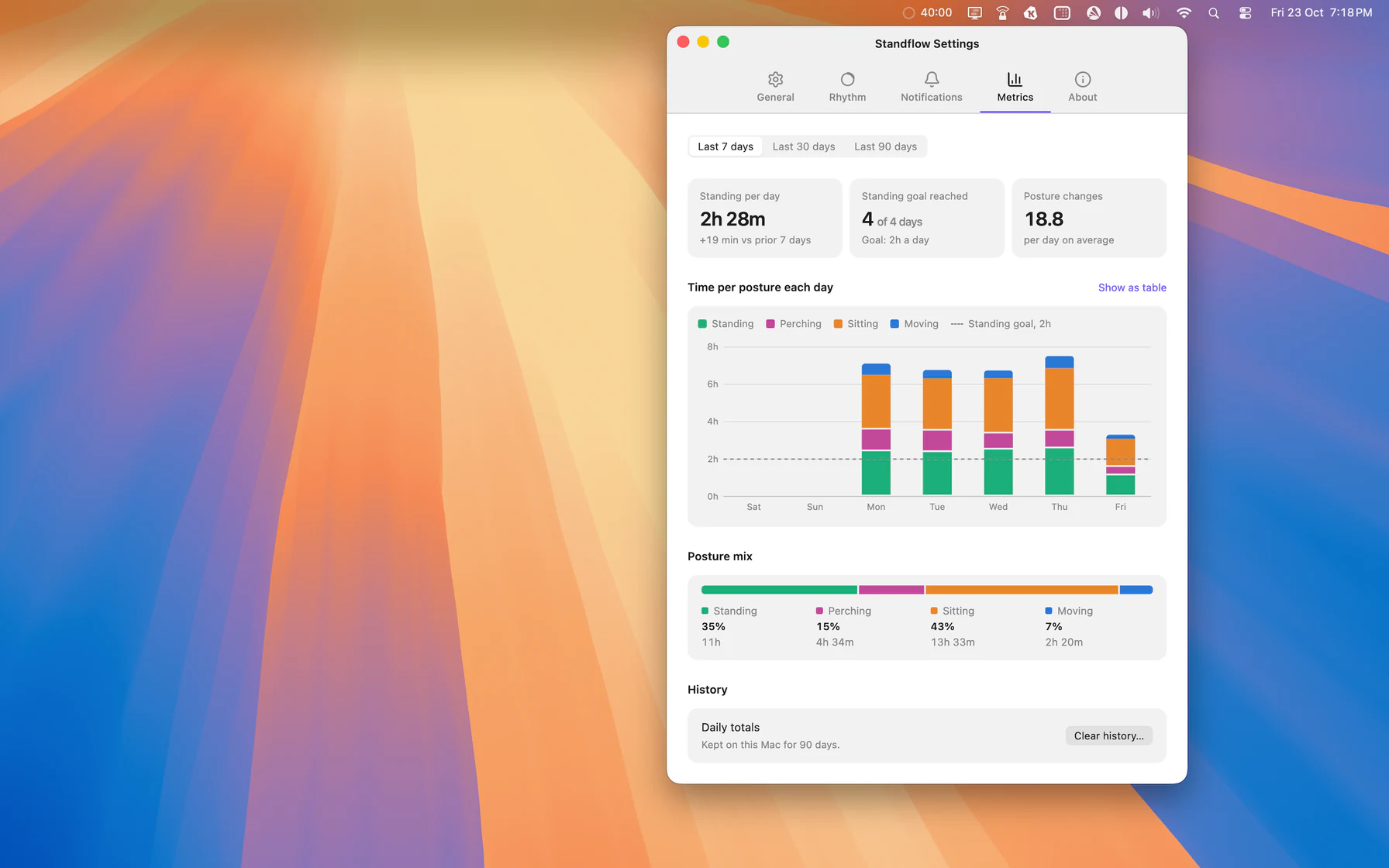
The new Metrics tab is where your sit-stand routine becomes visible. Choose a range (last 7, 30, or 90 days) and Standflow shows you:
- Standing per day: your average standing time, compared with the previous period.
- Standing goal reached: how many days you hit your daily goal.
- Posture changes: how many times per day, on average, you switched position.
- Time per posture each day: a stacked chart with standing, perching, sitting, and moving, plus a line showing your standing goal.
- Posture mix: how your time splits across the four postures.
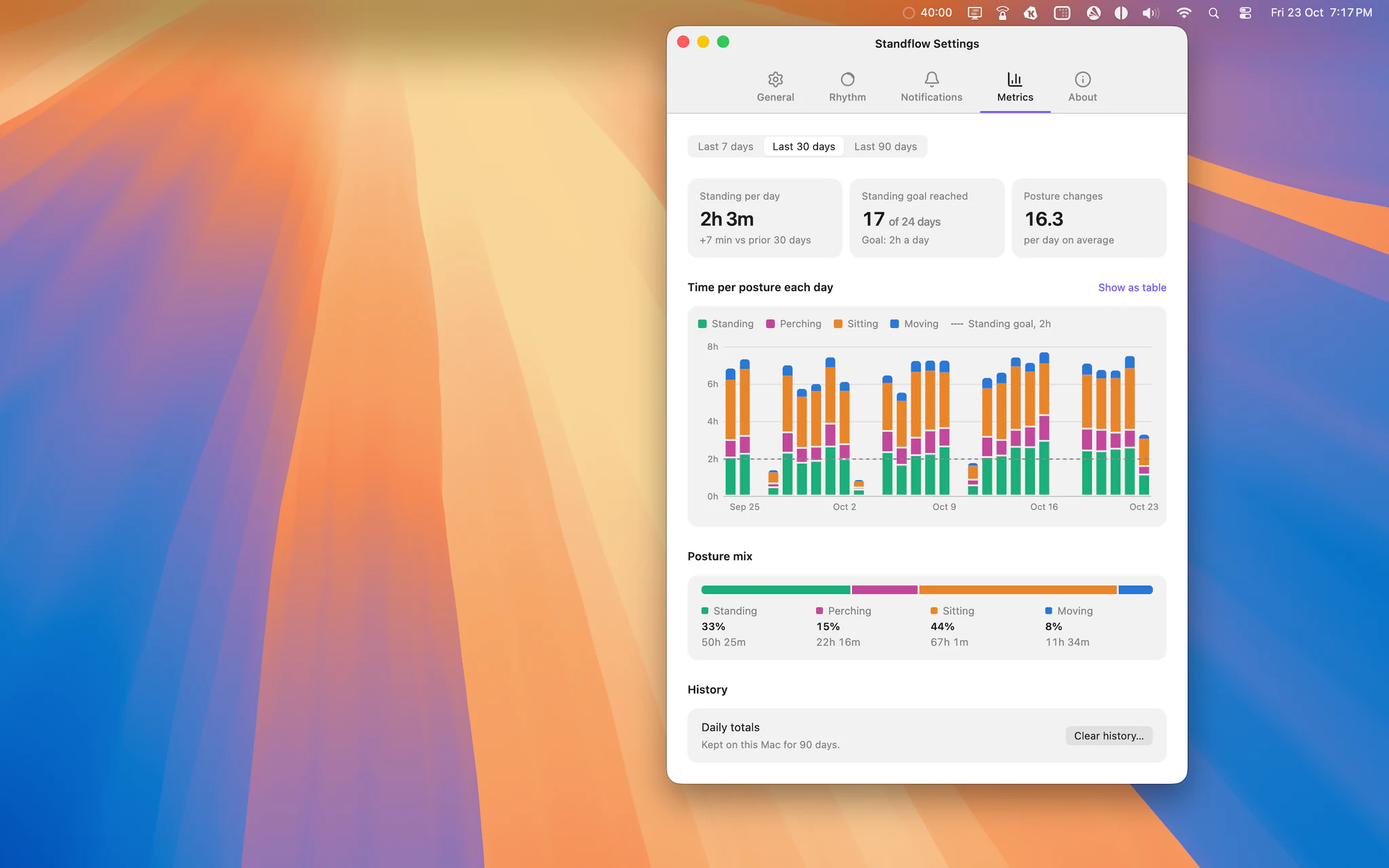
Posture changes is our favorite number. Total standing time matters, but how often you change position matters just as much. A day with 16 posture changes is very different from a day where you stood for two hours straight and then sat for six. Metrics makes that difference visible, so you can tell whether your routine is really breaking up long stretches of sitting.
If you prefer numbers to charts, Show as table switches the chart to a table with the exact values for each day.
Your history stays on your Mac
Like everything else in Standflow, your metrics are private by design. Daily totals are stored only on your Mac for 90 days. No account, no cloud sync, and no tracking. You can clear your history at any time from the Metrics tab.
The Rhythm Tab: Design Your Ideal Cycle
The heart of Standflow is still your cycle: the sequence of standing, perching, sitting, and moving that repeats throughout the day. In 1.2, the Rhythm tab makes it easier than ever to design.
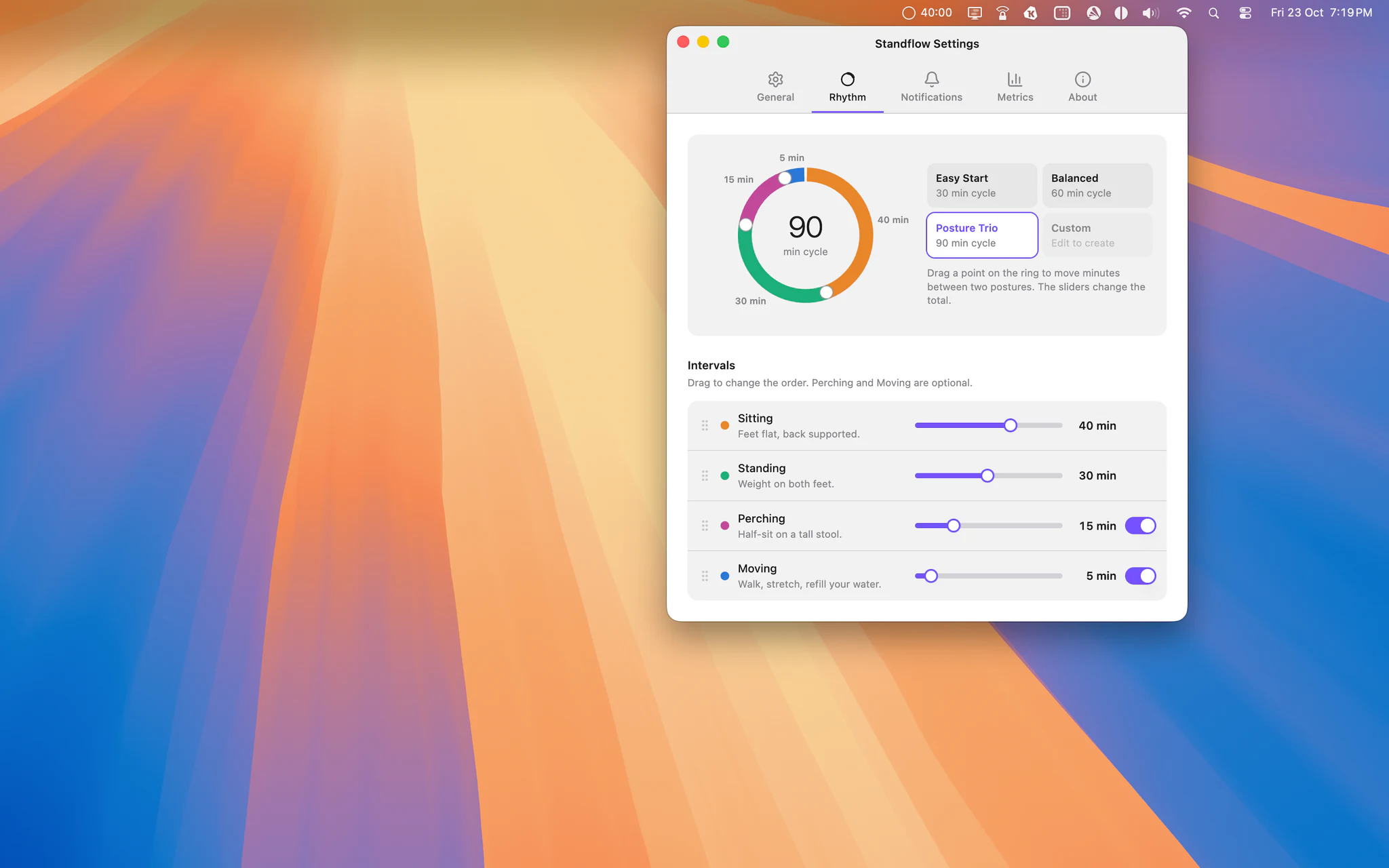
- Drag the cycle ring: drag a point on the ring to move minutes between two postures while the total cycle length stays the same.
- Sliders for each interval: set each duration exactly. The total cycle updates as you go.
- Optional postures: turn Perching (half-sitting on a tall stool) and Moving (walk, stretch, refill your water) on or off.
- Drag to reorder: start your cycle standing, sitting, or moving, whatever fits your work style.
If you'd rather not configure anything, start with one of the presets:
- Easy Start: a gentle 30-minute cycle, ideal for getting used to a standing desk.
- Balanced: a 60-minute cycle for a solid daily routine.
- Posture Trio: a 90-minute cycle that includes perching and moving.
Tweak any preset and Standflow saves your changes as a Custom routine, so you can always go back to it.
A tip if you're just starting out: turn on the Moving interval. Even 5 minutes of walking or stretching per cycle makes a noticeable difference in how you feel at the end of the day, and it's the easiest habit to forget without a reminder.
Reminders That Respect Your Focus
A reminder app that interrupts you at the worst possible moment ends up turned off. That's why Standflow lets you choose how each interval ends.
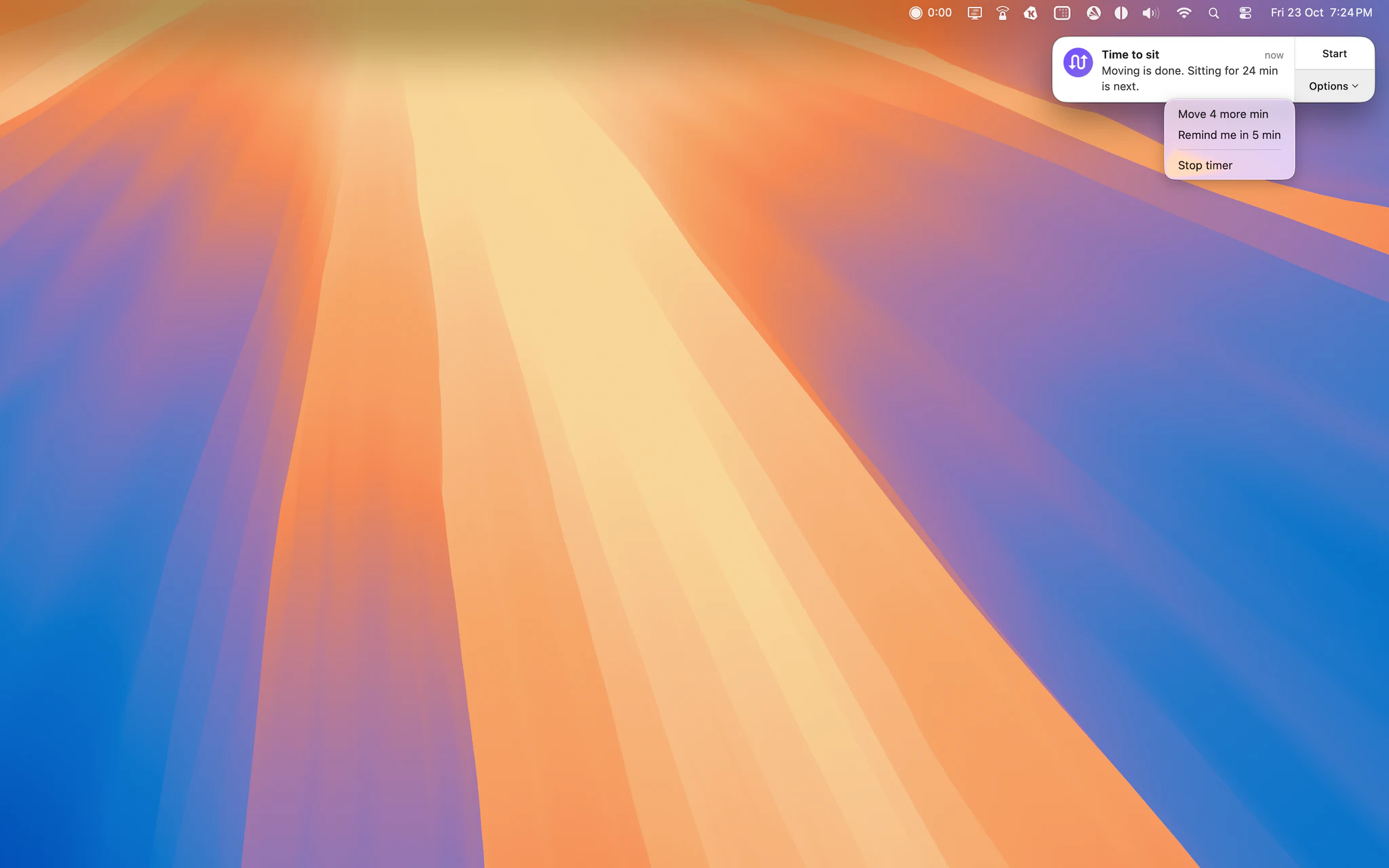
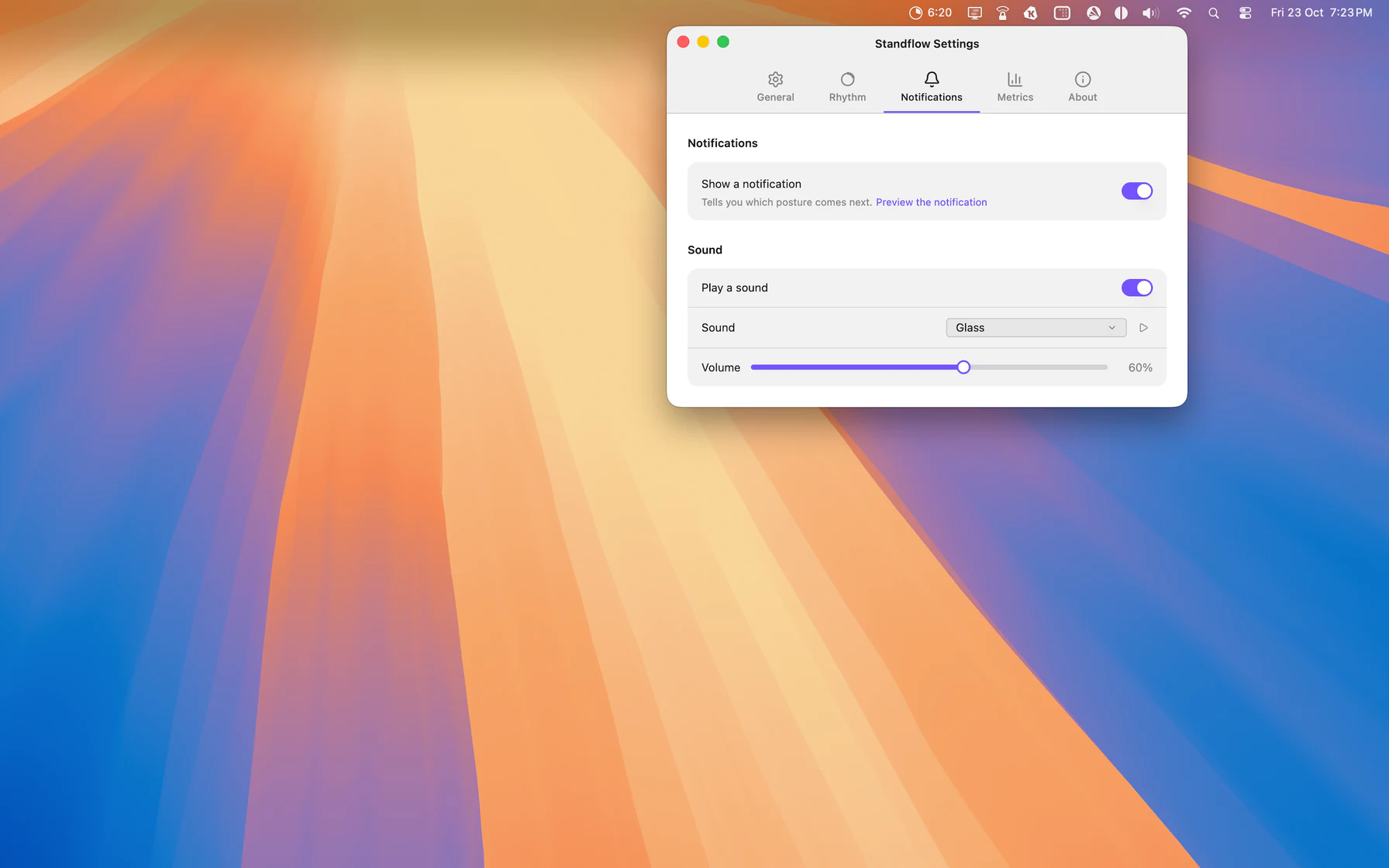
In automatic mode, you get a notification and the next interval starts on its own. In ask me first mode, a compact alert waits for you: start the next posture, stay a few more minutes, get reminded in 5 minutes, or stop the timer.
The Notifications tab lets you decide how you want to be told: show a notification that says which posture comes next, play a sound, pick the sound, and set the volume. You can preview the notification and each sound before choosing.
How to Get the Most Out of Standflow 1.2
Here's a simple way to start using the new features:
- Set a realistic goal. If you're new to standing desks, start with 1 to 2 hours of standing per day and increase it gradually.
- Pick a preset. Easy Start or Balanced are great starting points. Adjust them after a few days.
- Turn on Moving. A few minutes of movement each cycle is what turns a standing desk into an active workday.
- Check your metrics once a week. Look at the last 7 days, see which days you reached your goal, and how many posture changes you made. Small adjustments add up.
Update to Standflow 1.2
Standflow 1.2 is available now on the Mac App Store. If you already have Standflow, just update from the App Store.
Standing more, sitting less, and moving often doesn't require willpower. It requires a rhythm that works for you, and now a way to see that it's working.