Release notes

What's new in each version of Standflow

v1.2.1

Smoother Skip, Pause and Stop on the progress ring

Standflow 1.2.1 is a bug-fix update. Skip now moves the progress ring forward, and Skip works well with Pause and Stop.

  • fixedSkip moves the ring forward. When you skip, the current interval counts down to zero before the ring switches to the next posture, which always starts from its beginning. Before, the ring jumped to the next posture partway through and then ran backwards to its start.
  • fixedThe filled part of the ring keeps one width. In the popover's progress ring, the filled part of the current interval no longer gets thicker as it fills. It's now the same width as the rest of the ring, and so is the position knob.
  • fixedStop during a skip. If you press Stop while the skip animation is still running, the timer lands on the next posture and stays stopped, instead of getting stuck in between.
  • fixedPause during a skip. If you press Pause mid-skip, the timer lands on the next posture at its full length and stays paused.
  • fixedSkipping twice in a row. A second skip during the animation moves on from the posture the first skip was heading to, for example Standing → Sitting → Standing.
v1.2.0

Menu bar progress ring, rhythm ring, daily goal and metrics

Standflow 1.2 brings a live progress ring to your menu bar, a rhythm ring you can edit by dragging, a daily standing goal, and 90 days of private posture metrics. Read the full story in Standflow 1.2: Daily Standing Goals and Metrics.

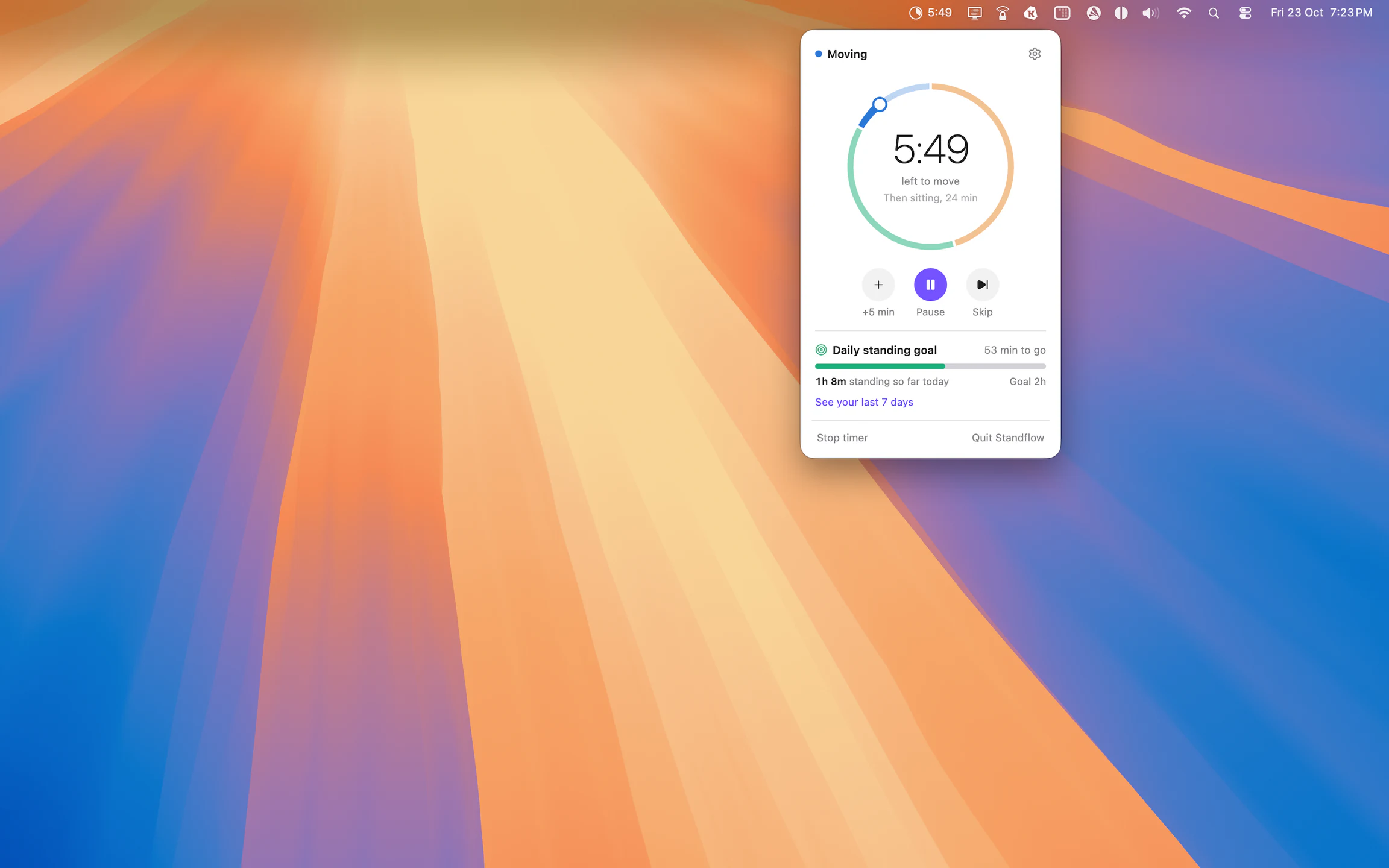
Standflow menu bar popover with the timer, Pause, Skip and +5 min controls, and daily standing goal progress

  • newDaily standing goal. Set how long you want to stand each day and follow your progress from the menu bar.
  • newMetrics. See your time per posture for the last 7, 30 or 90 days as a chart or a table, along with your posture mix, the days you reached your goal, and how often you change posture. Your history stays on your Mac and you can clear it any time.
  • newEditable rhythm ring. See your whole cycle as a ring in Settings → Rhythm, and drag its points to move minutes from one posture to another.
  • improvedLive progress ring in the menu bar. A small ring or pie fills up as the current interval goes by, with the time left next to it.
  • improvedRedesigned menu bar popover. Click Standflow in the menu bar for a live view of your cycle with Start, Pause, Skip and +5 min.