Standing Desk Apps for Mac Compared (2026): 9 Sit-Stand Reminder Apps

If you search for a standing desk app for Mac, you'll find a handful of small, independent apps that all promise the same thing: remind you to stand up, sit back down, and move. They differ a lot once you look closer, in which postures they support, how they handle meetings and breaks, what they cost, and which Macs they run on.
We compared nine of them, with their current price, requirements, and features as listed by their developers. We also tell you which one we'd pick for most people, and why.
Disclosure: we make Standflow, one of the apps in this comparison. We've tried to be fair. Everything about the other apps comes from their App Store listings and official websites, checked on November 3, 2026 (US prices). Where a developer doesn't mention a feature, we say so instead of guessing. If you build one of these apps and something here is out of date, let us know and we'll fix it.
If you're still deciding whether you need a dedicated app at all, or whether Apple Watch stand reminders, a Pomodoro timer, or your desk's own app would do, start with our guide on how to choose a sit-stand reminder.
Standing Desk Apps for Mac at a Glance
| App | Price | Postures | Pauses when you're away | Stats | Requires |
|---|---|---|---|---|---|
| Standflow (our pick) | Free | Sit, stand, perch, move | Not yet (coming soon) | Daily goal, 90 days | macOS 13, Apple Silicon |
| Stand Up | $1.99 | Breaks, optional sit/stand tracking | Yes (calls, calendar events, lock) | 90 days, CSV export | macOS 14 |
| Standro | $2.99 | Sit, stand | Yes (idle) | History, CSV export | macOS 10.15 |
| Stao | $2.99 (Mac + iPhone + iPad) | Sit, stand, move | — | Daily stats, streaks | macOS 14.6 |
| UpStanding | $2.99 | Sit, stand, move | — | — | macOS 14.6 |
| Standly | $1.99 (Mac + iPhone) | Stand, sit, walk, stretch, long break | — | Last 7 days, streaks | macOS 26.5 |
| BreakInMotion | Free, Premium $4.99/yr or $19.99 lifetime | Sit, stand | — | Daily goal, streaks | macOS 15.2 |
| Standmo | $6.99 | Sit, stand | Yes (lock, screen saver) | Daily and weekly, streaks | macOS 12 |
| DeskShift | Free, Pro $19.99 | Sit, stand (moves the desk) | Yes (calls, lock) | — | macOS 15, LINAK Bluetooth desk |
"—" means the developer doesn't mention it, not necessarily that the app can't do it.
Standing Desk App Features Compared
Most of these apps alternate between sitting and standing. Fewer go further, with movement breaks, more postures, ready-made presets, or a daily goal:
| App | Sit and stand | Movement breaks | Perching | Presets | Daily standing goal | Snooze |
|---|---|---|---|---|---|---|
| Standflow | ✓ | ✓ | ✓ | ✓ (3 presets) | ✓ | ✓ |
| Stand Up | ✓ | — | — | — | — | — |
| Standro | ✓ | — | — | — | — | ✓ |
| Stao | ✓ | ✓ | — | ✓ (1 preset) | — | — |
| UpStanding | ✓ | ✓ | — | ✓ (1 preset) | — | — |
| Standly | ✓ | ✓ (walk, stretch) | — | — | — | — |
| BreakInMotion | ✓ | — | — | — | ✓ | — |
| Standmo | ✓ | — | — | — | — | — |
| DeskShift | ✓ | — | — | — | — | — |
"—" means the app doesn't offer it or its developer doesn't mention it.
Our Pick: Why Standflow Is the Best Standing Desk App for Most People
We're biased, so here's our reasoning. Judge it for yourself:
- It's free, and it stays free for you. Most apps in this list cost about $2 to $7 upfront or have a paid tier. Standflow is free today. It will become a paid app when the iPhone version launches, but if you download it before then, you keep using it for free, forever.
- It covers the whole routine, not just sit and stand. A standing desk works best when you change position often and also get up to move. Standflow is the only app here with sitting, standing, perching, and moving in one cycle, and you choose which ones to use.
- It's easy to start and easy to tune. Pick a preset (Easy Start follows the 20-8-2 guideline), then drag the cycle ring to move minutes between postures. No spreadsheets, no guessing.
- It shows whether it's working. A daily standing goal in the menu bar, and 7, 30, or 90 days of metrics, all free.
- It stays private. No account and no analytics, and your history never leaves your Mac. Several apps in this list collect usage data, according to their App Store privacy labels.
If you have an Apple Silicon Mac, the simplest way to decide is to try it: it costs nothing.
Standflow (Our Pick): Best for a Full Sit, Stand, Perch, and Move Cycle
Standflow is a macOS menu bar app that reminds you to alternate between sitting, standing, perching, and moving throughout your workday. It's the only app in this list with perching (half-sitting on a tall stool) as its own posture.
- Postures: sitting, standing, and optional perching and moving, each from 1 to 60 minutes, in the order you choose.
- Presets: Easy Start (30 minutes, based on Cornell's 20-8-2 guideline), Balanced (60 minutes), and Posture Trio (90 minutes, with perching). You can also drag the cycle ring in Settings to move minutes between postures.
- Reminders: the next interval can start on its own, or Standflow can ask first, with options to stay a few more minutes or get reminded in 5.
- Menu bar: a progress ring or pie with the time left. Click it for Start, Pause, Skip, and +5 min.
- Progress: a daily standing goal, and metrics for the last 7, 30, or 90 days.
- Privacy: no account, no analytics. Settings and history stay on your Mac.
Price: free today. It will become a paid app when the iPhone version launches, and everyone who downloaded it before then keeps using it for free. Requires: macOS 13, Apple Silicon.
Best for: standing desk users who want a complete routine (sitting, standing, perching, and moving) with goals and history, for free.
Keep in mind: it needs an Apple Silicon Mac, and it's Mac only while the iPhone app is in development. Automatic pausing when you lock your Mac or step away is coming soon; for now, pause is one click away in the menu bar.
Stand Up: Best for Automatic Tracking Without a Timer
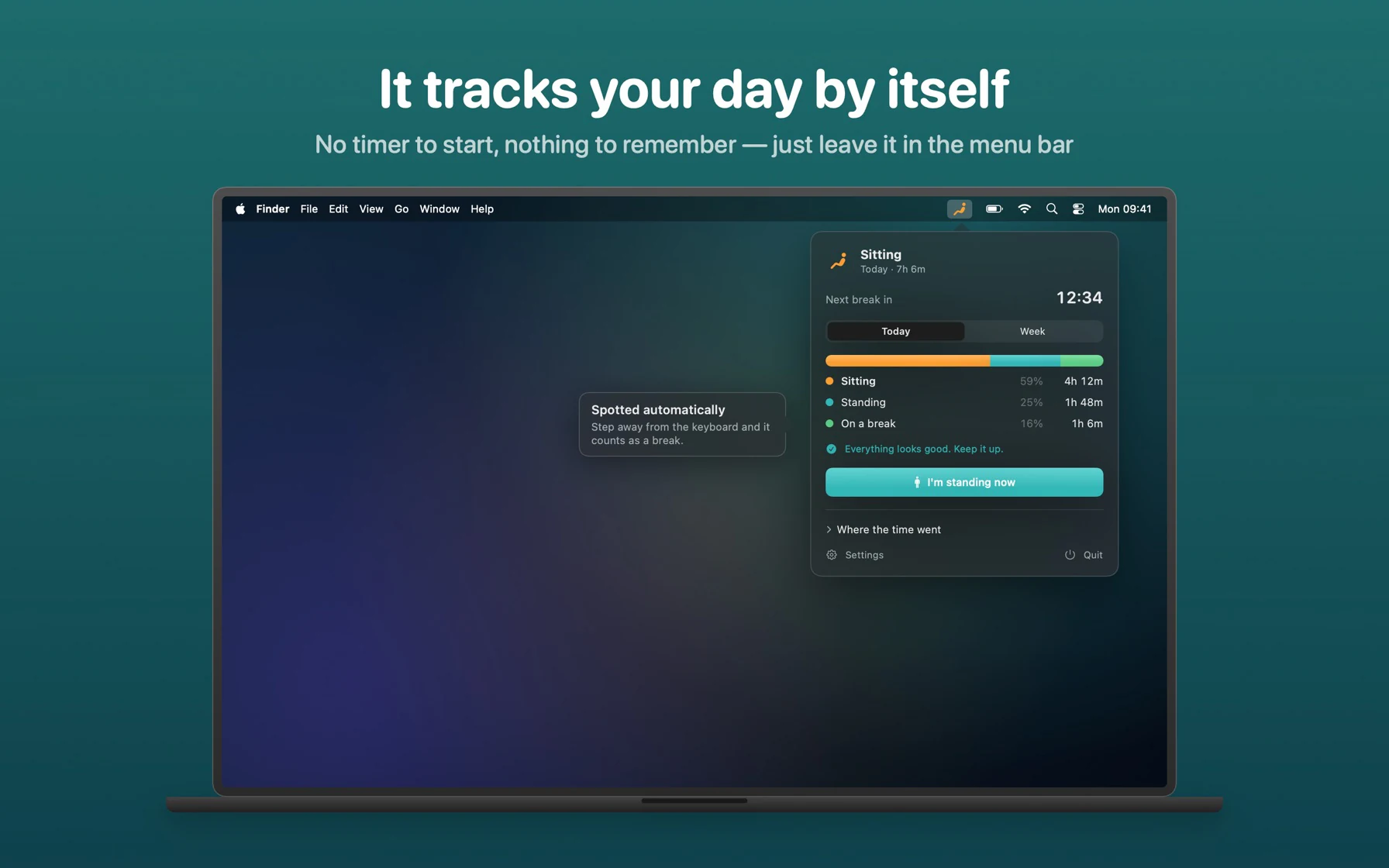
Screenshot: Stand Up – Take regular breaks on the Mac App Store
Stand Up takes a different approach: there's no timer to start. It works out when you've been at the computer too long from your keyboard and mouse activity, and reminds you to take a break. Version 4.0 (October 2026) is a full rewrite in SwiftUI.
- Optional sit/stand tracking on top of break reminders.
- Stays quiet while your microphone is in use, during calendar events, and when the screen is locked.
- History: 90 days, with CSV export.
- Extras: Shortcuts and Siri, a desktop widget, no account.
Price: $1.99. Requires: macOS 14.
Best for: people who don't want to manage a timer at all and have lots of calls.
Keep in mind: it's built around breaks from the computer, rather than a planned rotation of postures, so you don't get set standing, perching, or moving intervals.
Standro: Best for Working Hours and Older Macs
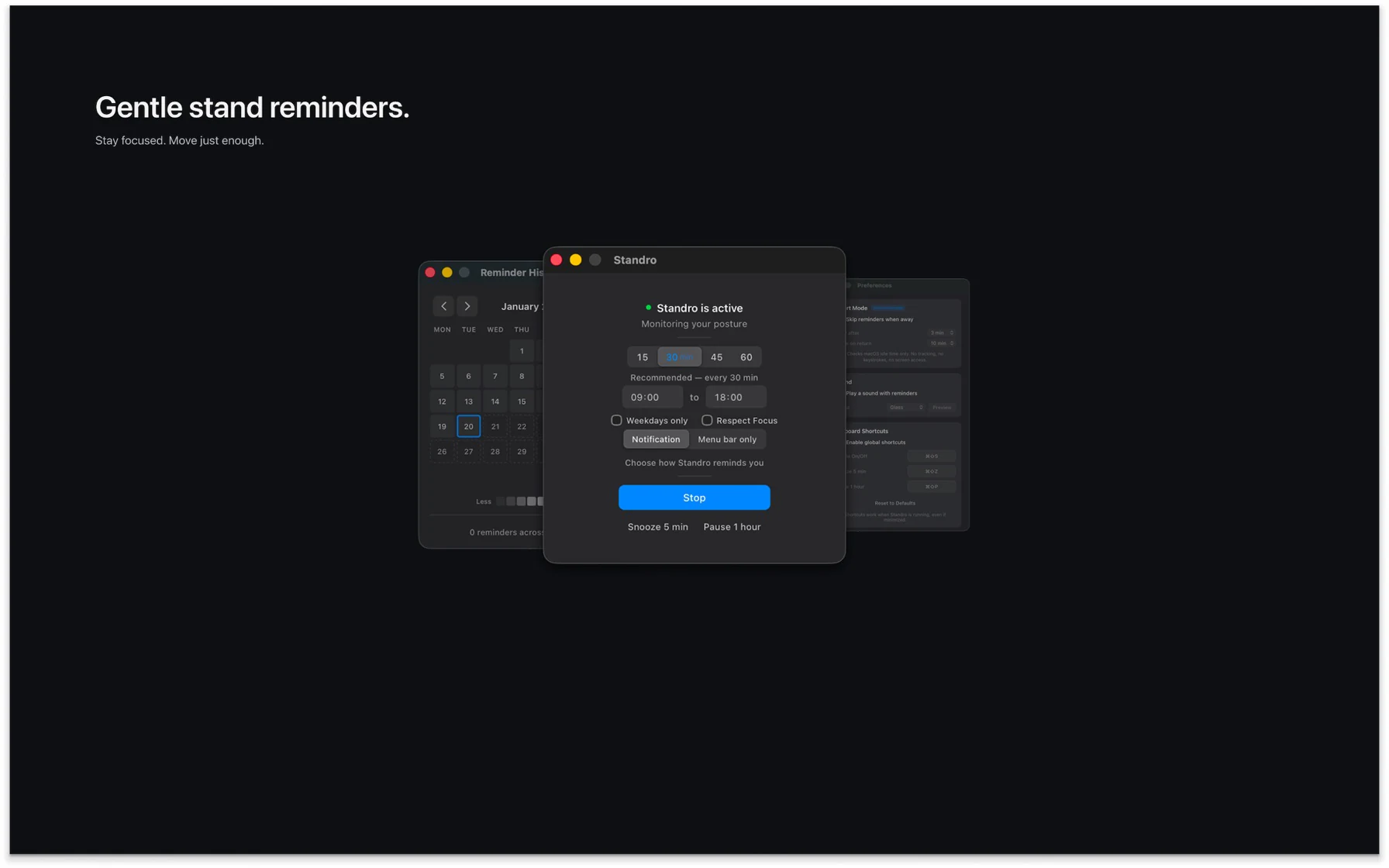
Screenshot: Standro on the Mac App Store
Standro is a quiet menu bar app with a Sit/Stand mode (your own sitting and standing durations) or a classic "stand up every X minutes" reminder.
- Active hours and weekdays-only scheduling.
- Smart Mode pauses reminders when you step away from the Mac, and it stays quiet in Focus and while you present.
- Snooze and pause, global keyboard shortcuts, and switching posture from the menu bar.
- History by week and month, with CSV export.
- No account, no analytics. Runs on Intel and Apple Silicon.
Price: $2.99. Requires: macOS 10.15.
Best for: a simple sit/stand rotation that follows your working hours, including on Intel Macs.
Keep in mind: two postures only, with no movement or perching intervals, and no stats beyond the reminder history.
Stao: Best if You Also Want It on iPhone and iPad
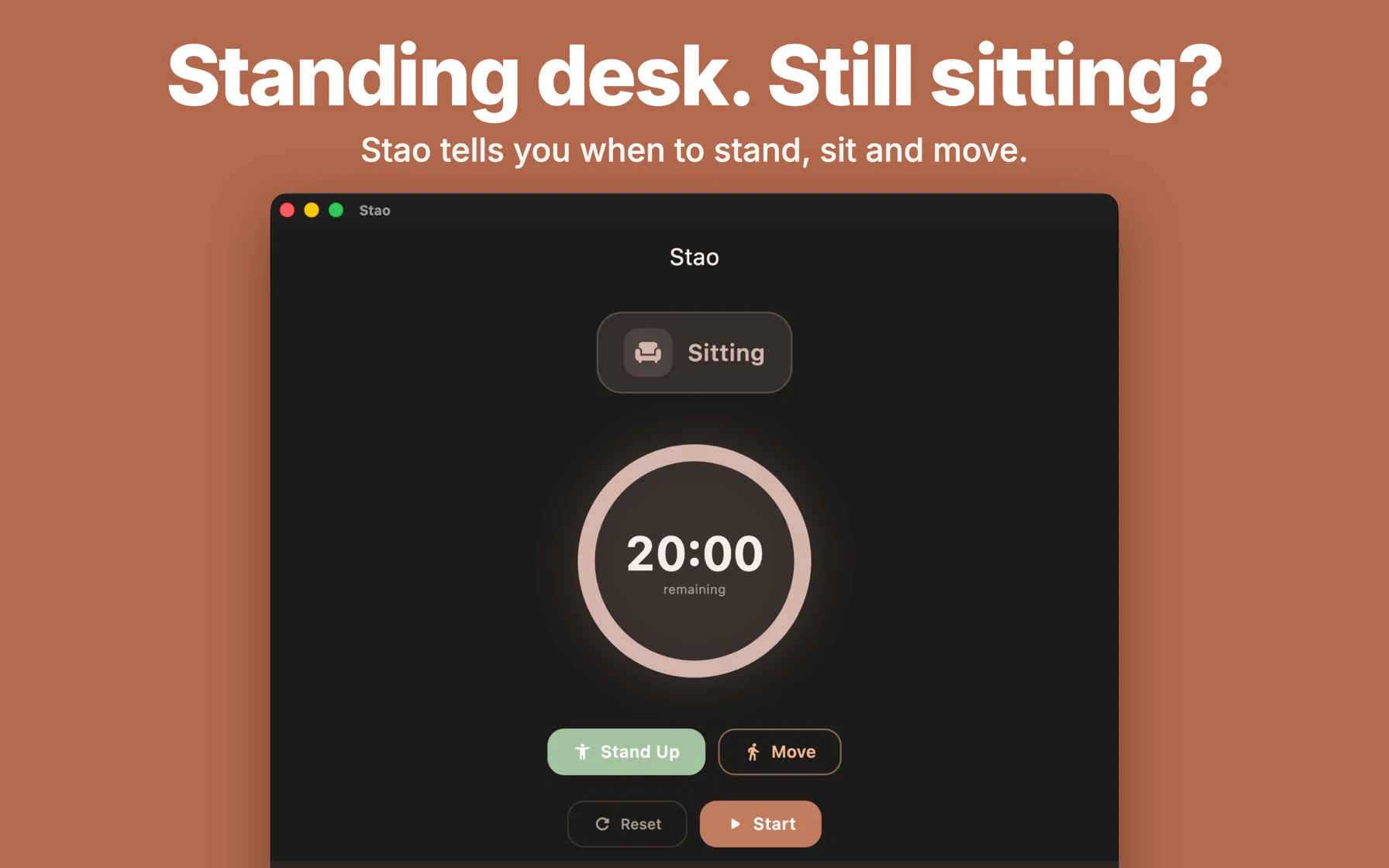
Screenshot: Stao on the Mac App Store
Stao is a sit, stand, and move app with a 20-8-2 preset, and it's one purchase across Mac, iPhone, iPad, and Vision Pro. Its website also lists Windows, Linux, and Android versions.
- 20-8-2 preset or custom intervals, plus movement breaks.
- Transition stretches with 12 illustrated exercises.
- Work days and the option to pause during meetings.
- Stats: daily sit, stand, and move time, and streaks.
- iPhone extras: Live Activities and the Dynamic Island.
Price: $2.99, one purchase for all Apple platforms. Requires: macOS 14.6.
Best for: people who want the same routine on their Mac and their phone.
Keep in mind: there's no perching interval, and its App Store privacy label lists usage and diagnostics data (not linked to you).
UpStanding: Best for a Simple 20-8-2 Routine
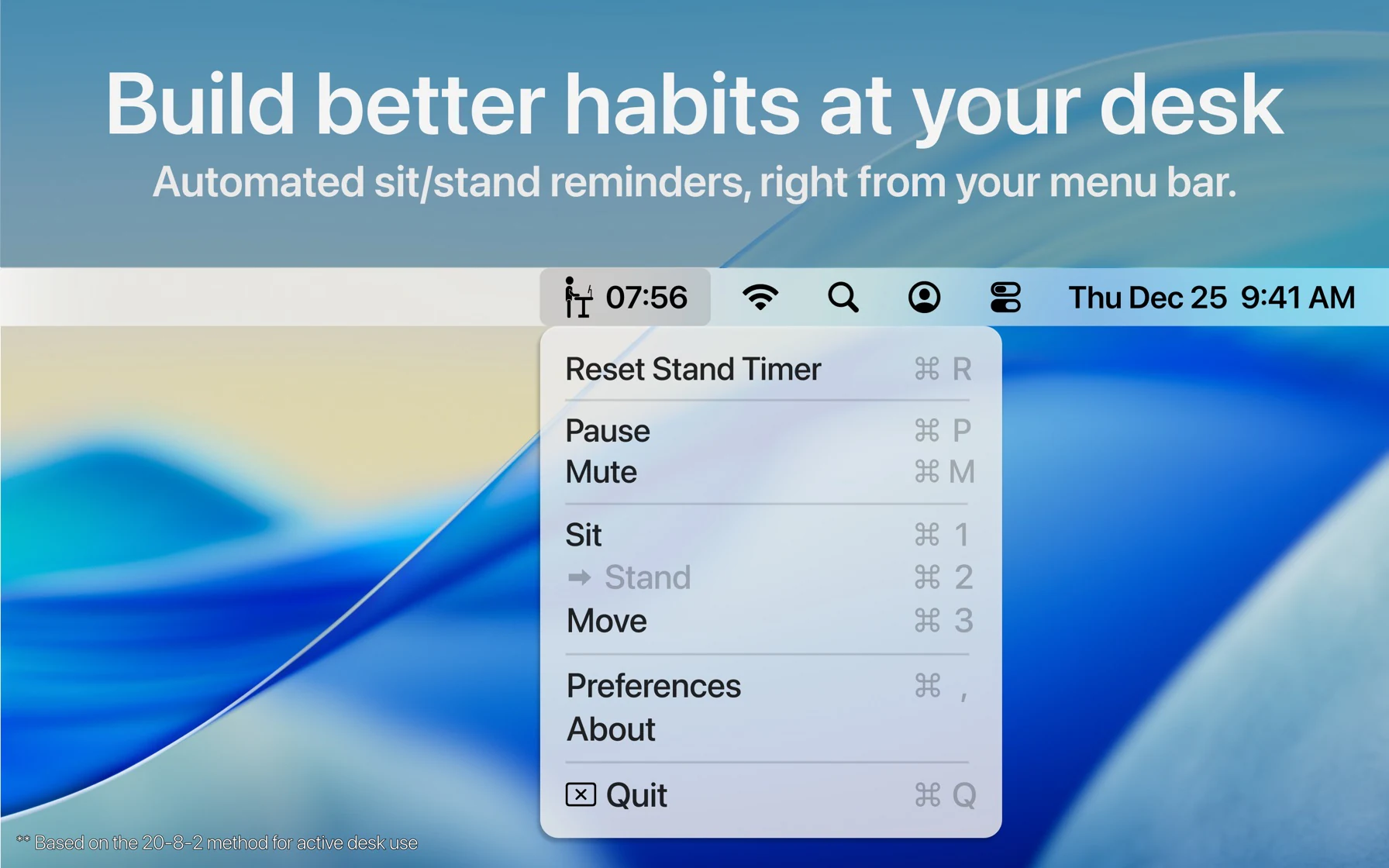
Screenshot: UpStanding: Desk Companion on the Mac App Store
UpStanding keeps things small: a menu bar timer with sit, stand, and move phases and the 20-8-2 rhythm as its default.
- Customizable timers for each phase.
- Keyboard shortcuts (⌘1 to ⌘3) to switch phase from the menu.
- A different sound for each phase.
- One-click pause and reset.
Price: $2.99. Requires: macOS 14.6.
Best for: a no-frills sit, stand, and move timer.
Keep in mind: the developer doesn't mention stats, snooze, or idle detection, and it uses TelemetryDeck for anonymous analytics.
Standly: Best for Long Routines With Stretch and Walk Steps
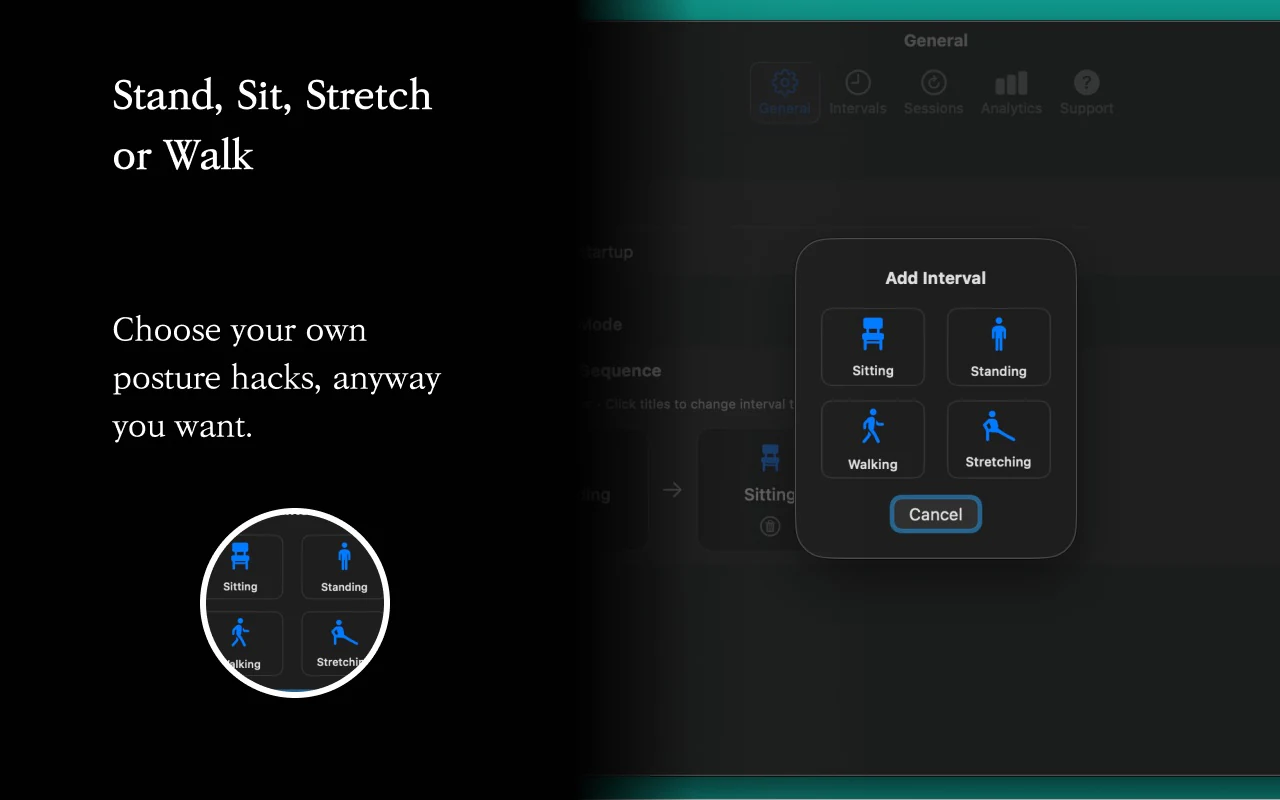
Screenshot: Standly on the Mac App Store
Standly builds an ordered routine of stand, sit, walk, stretch, and long-break steps, and works on both Mac and iPhone.
- Transition time between steps, and a longer rest after 2 to 10 cycles.
- Controls: pause, skip, go back, or jump to any step.
- The timer survives locking and closing the app.
- Stats: time by step type for today and the last 7 days, and streaks.
Price: $1.99 (Mac and iPhone). Requires: macOS 26.5.
Best for: people who want walking and stretching as separate steps in their routine.
Keep in mind: it requires the latest macOS, so it won't run on older systems.
BreakInMotion: Best for Gradually Standing More
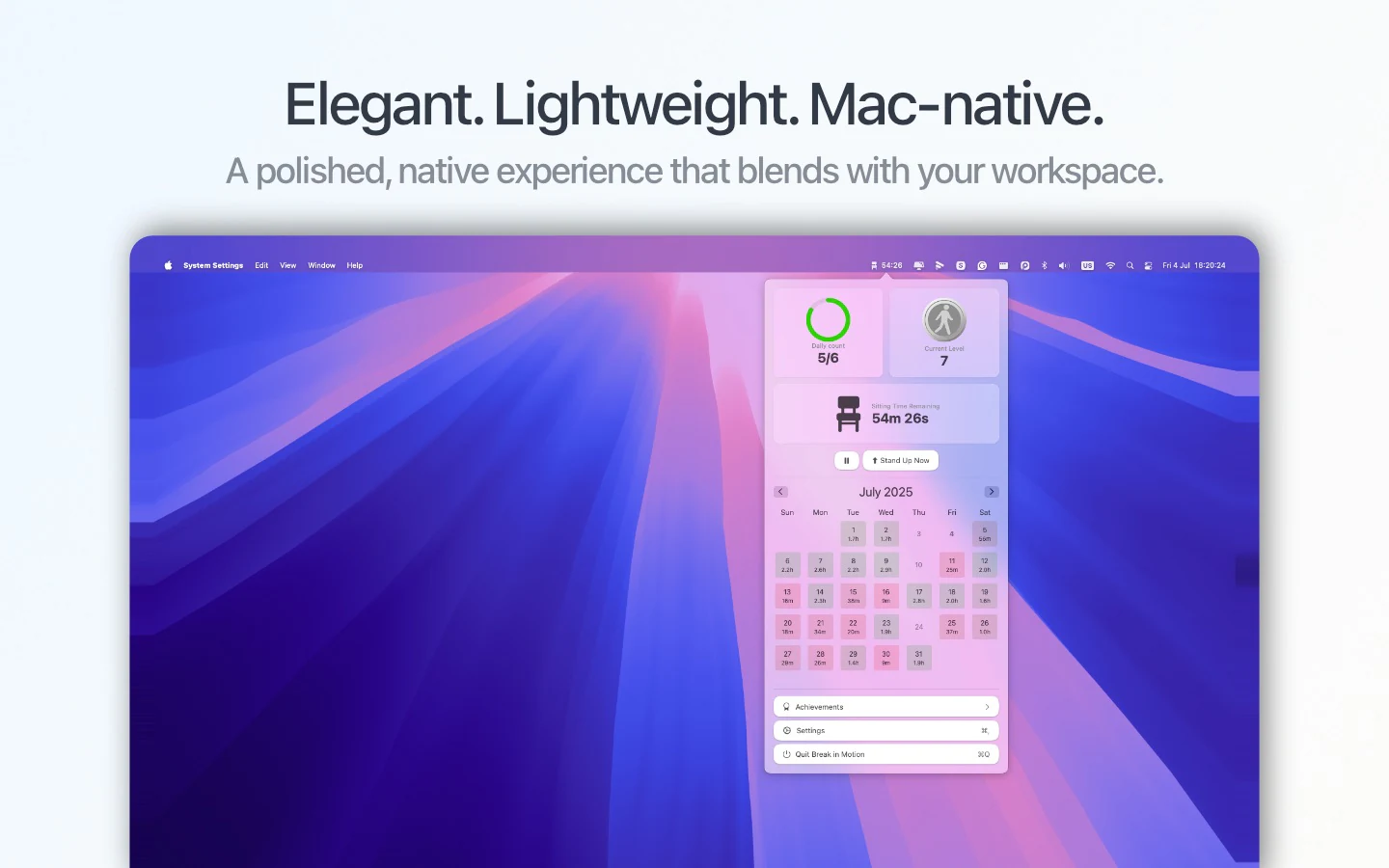
Screenshot: BreakInMotion on the Mac App Store
BreakInMotion turns standing into a progression. It has 11 levels within a 60-minute cycle, from 5 to 55 minutes of standing per hour, and moves you up a level after 5 days that meet your goal.
- Daily goal of 5 stands, with streaks and achievements.
- Menu bar countdown, no Dock icon.
- Free tier includes the timer, all levels, the daily goal, streaks, and 7 days of history.
Price: free; Premium is $4.99/year or $19.99 lifetime. Requires: macOS 15.2.
Best for: beginners who want the app to decide when to stand a little more.
Keep in mind: sit and stand only, a fixed 60-minute cycle, and the free tier keeps 7 days of history.
Standmo: Best for Stats and Streaks
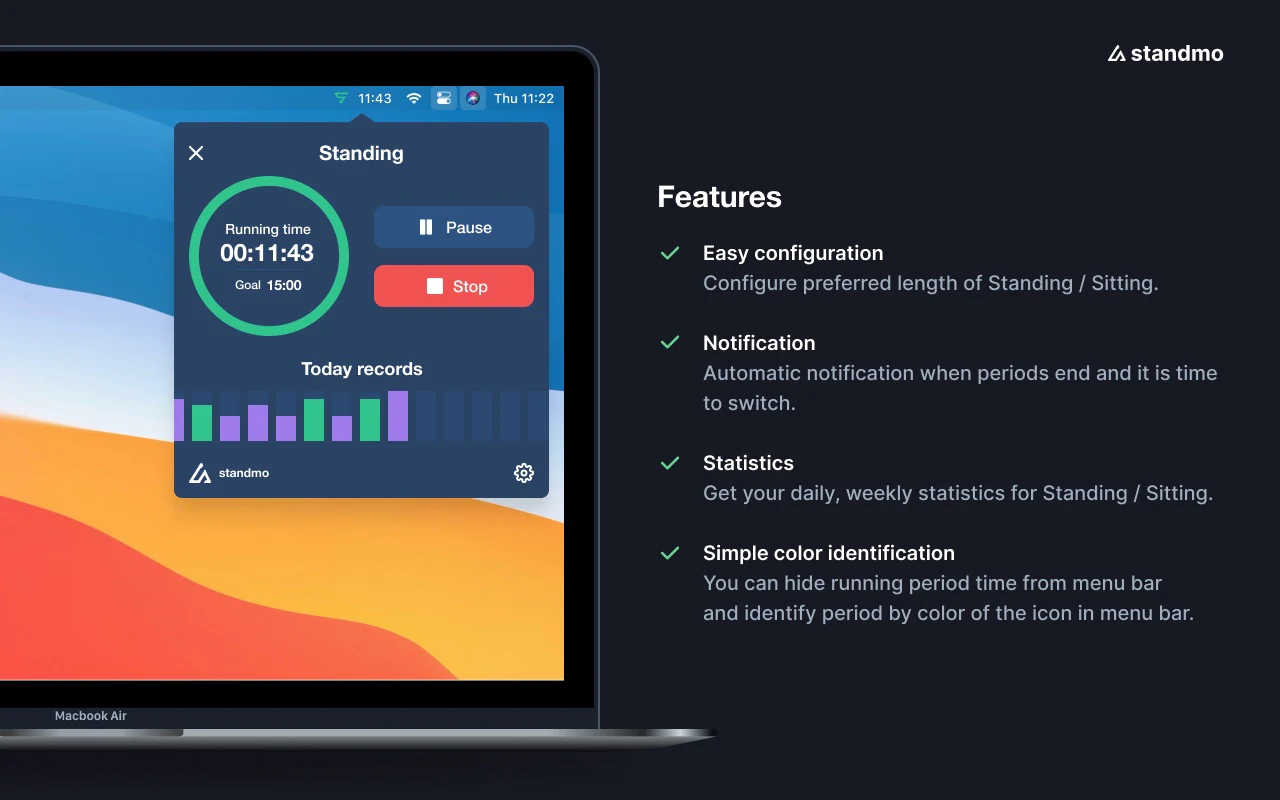
Screenshot: Standmo on the Mac App Store
Standmo is one of the older apps in this space (first released in 2021). It tracks your sitting and standing sessions with a focus on stats.
- Separate sit and stand durations.
- Auto-pause when the screen locks or the screen saver starts.
- Menu bar: optional time left, and an icon that changes colour by posture.
- Stats: daily and weekly, streaks, achievements, and shareable stat cards.
Price: $6.99. Requires: macOS 12.
Best for: people motivated by numbers and streaks.
Keep in mind: it's the most expensive one-time purchase here, and it supports sit and stand only.
DeskShift: Best if You Have a Bluetooth Desk
Screenshot: DeskShift on the Mac App Store
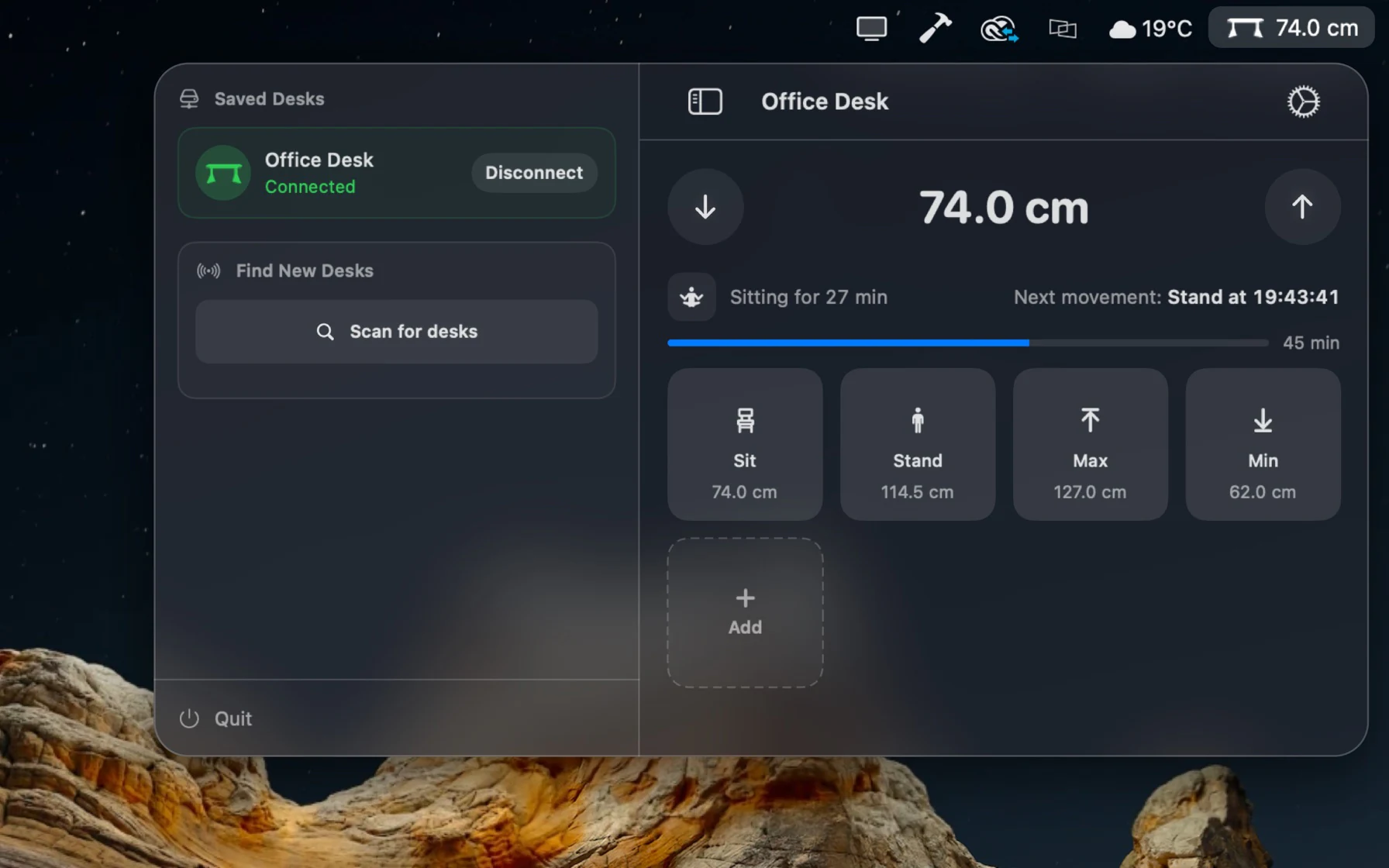
DeskShift is the only app here that moves the desk for you. It connects over Bluetooth to IKEA IDÅSEN and other LINAK desks.
- Saved positions for sitting and standing, and control from the menu bar.
- Posture Coach schedules sit and stand times within your working hours, and pauses during calls or when the Mac is locked.
- Shortcuts and Spotlight actions, and iCloud sync.
Price: free; Pro is $19.99 one-time (14-day trial). Requires: macOS 15 and a compatible desk.
Best for: owners of a LINAK-based desk who want one app to remind them and move the desk.
Keep in mind: it doesn't help with other desks, and its App Store privacy label includes data linked to you (email and support data).
Other Options Worth Knowing
- Stand 2 for Mac: a pay-what-you-want app that reminds you to stand once an hour. It hasn't been updated in years.
- DeskRest, Time Out, and Stretchly: general break reminders (eye breaks, stretching, screen time) rather than sit-stand apps. They pair well with a standing desk routine if your main problem is screen fatigue.
How to Choose the Right Standing Desk App for Your Mac
If you're not sure, start with Standflow. It's free, it covers sitting, standing, perching, and moving, and you can shape it to any schedule. Download it now and you keep it free even after it becomes a paid app.
Look elsewhere if one of these describes you:
- You don't want to start a timer, and you have lots of calls: Stand Up.
- You want reminders only during working hours, or you have an Intel Mac: Standro.
- You want the same routine on your iPhone today: Stao or Standly.
- You want a tiny 20-8-2 timer: UpStanding.
- You're a beginner and want to build up gradually: BreakInMotion.
- Stats and streaks keep you going: Standmo.
- You have a LINAK Bluetooth desk and want it to move by itself: DeskShift.
Whichever app you pick, the schedule matters more than the tool. Our guide to the best sit-stand schedule covers how long to sit and stand, and how to build a standing desk habit helps you make it stick.
Frequently Asked Questions
What is the best standing desk app for Mac?
For most people with a standing desk and an Apple Silicon Mac, we recommend Standflow: it's free, it's the only app that combines sitting, standing, perching, and moving in one cycle, and it tracks a daily standing goal and up to 90 days of history. If you'd rather not run a timer at all, Stand Up is a good alternative, and if you have a LINAK Bluetooth desk, DeskShift can move it for you.
Is there a free standing desk app for Mac?
Yes. Standflow is free on the Mac App Store, with every feature included. It will become a paid app when the iPhone version launches, but anyone who downloaded it before then keeps using it for free. BreakInMotion and DeskShift have free tiers with paid upgrades.
Which standing desk apps work on Intel Macs?
Standro and BreakInMotion state support for both Intel and Apple Silicon, and Standmo's website does too. Standflow currently requires Apple Silicon. For the other apps, check the App Store listing before buying.
Which standing desk app also works on iPhone?
Stao and Standly are universal purchases that run on both Mac and iPhone. An iPhone version of Standflow is in development.
Do I need a smart desk to use a standing desk app?
No. Apart from DeskShift, every app in this list works with any desk, including manual desks and desk converters: the app reminds you and you adjust the desk yourself.